IPsec Tunnel Deletion #
Step 1: Navigate to the Tunnel
Login to pfSense → VPN → IPsec → Tunnels. Locate the tunnel to delete (disable it first).
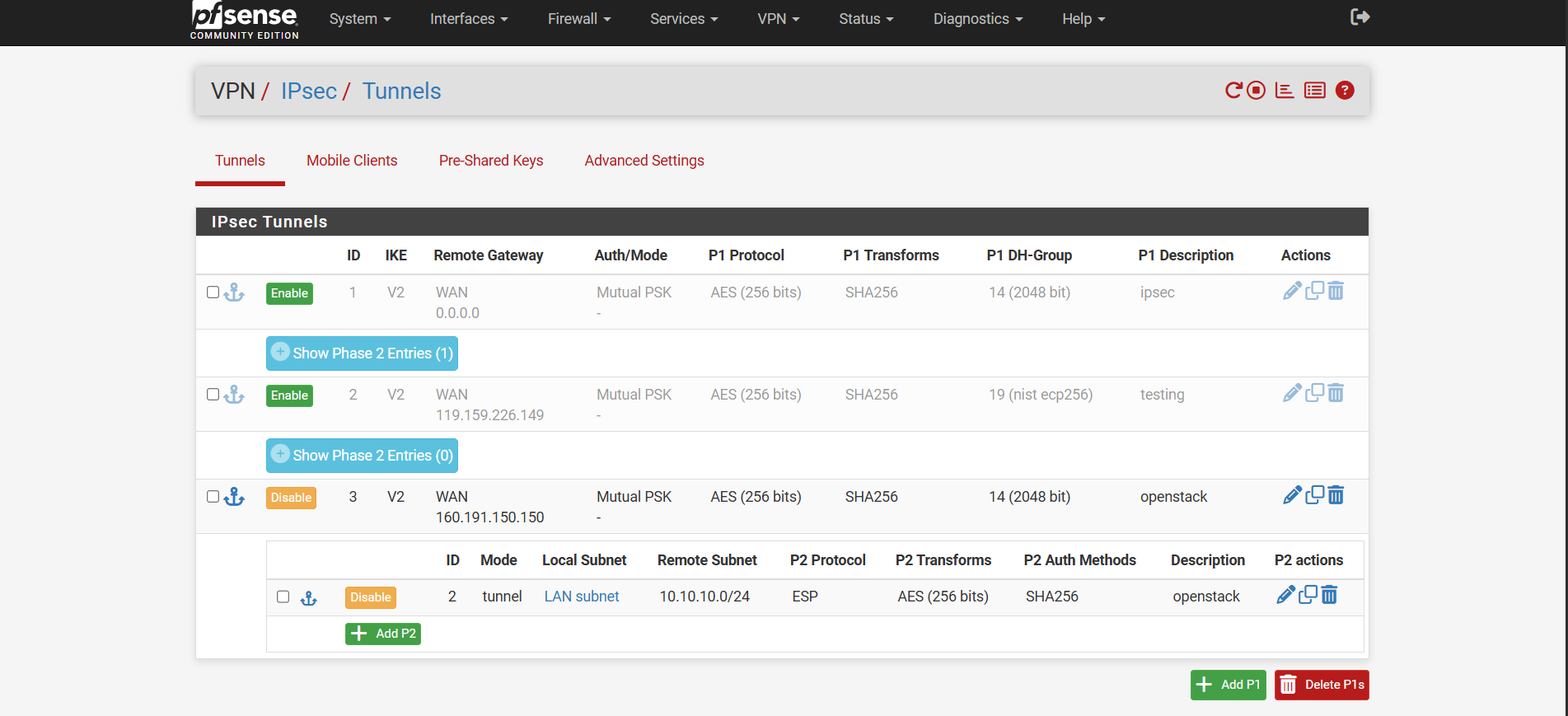
Step 2: Delete Phase 2
- Click Delete on the Phase 2 entry, then click Apply Changes.
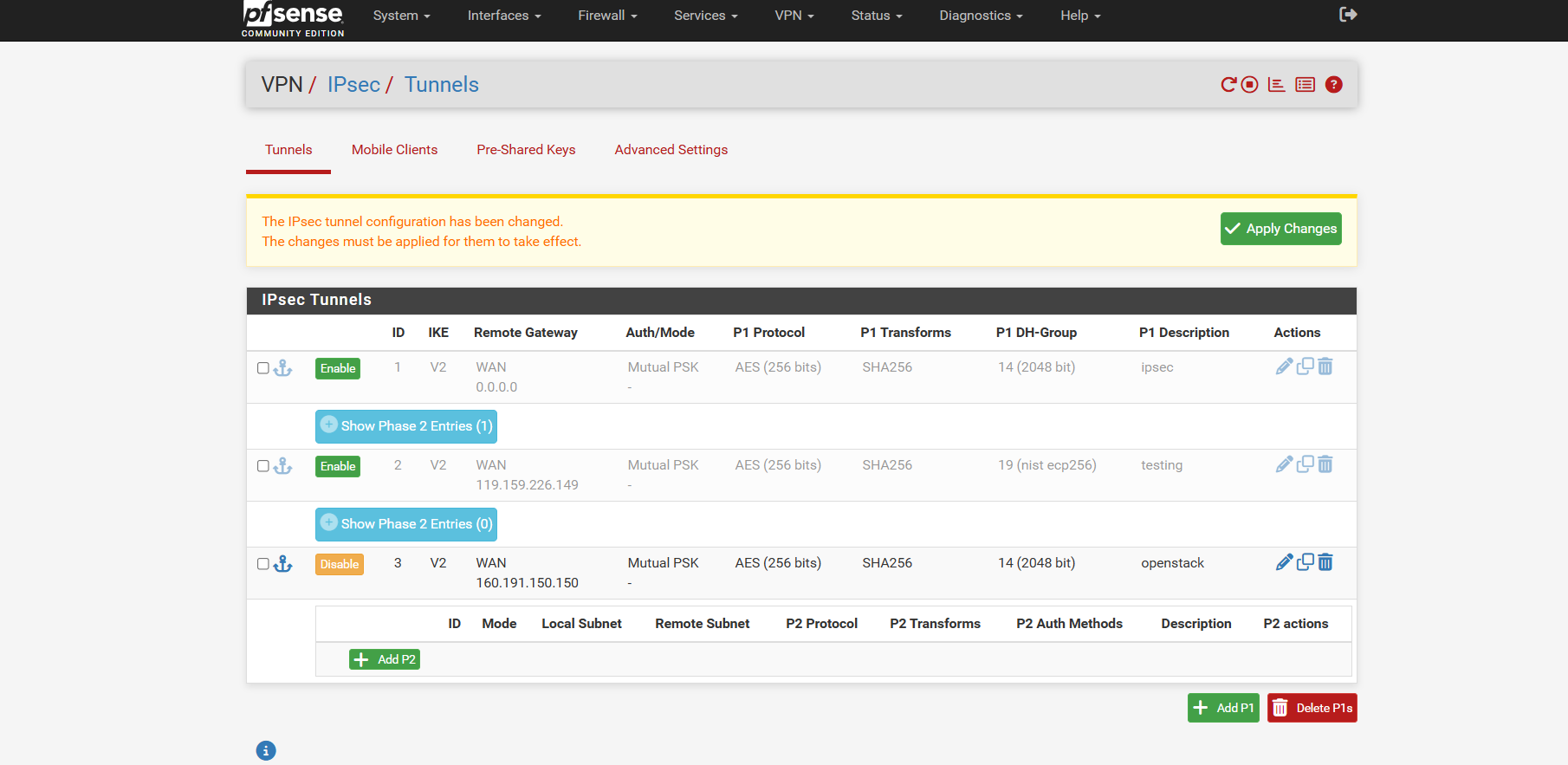
Step 3: Delete Phase 1
- Click Delete on the remaining Phase 1 entry, then click Apply Changes to finalize.
