pfSense Accessibility #
Step 1: Access pfSense
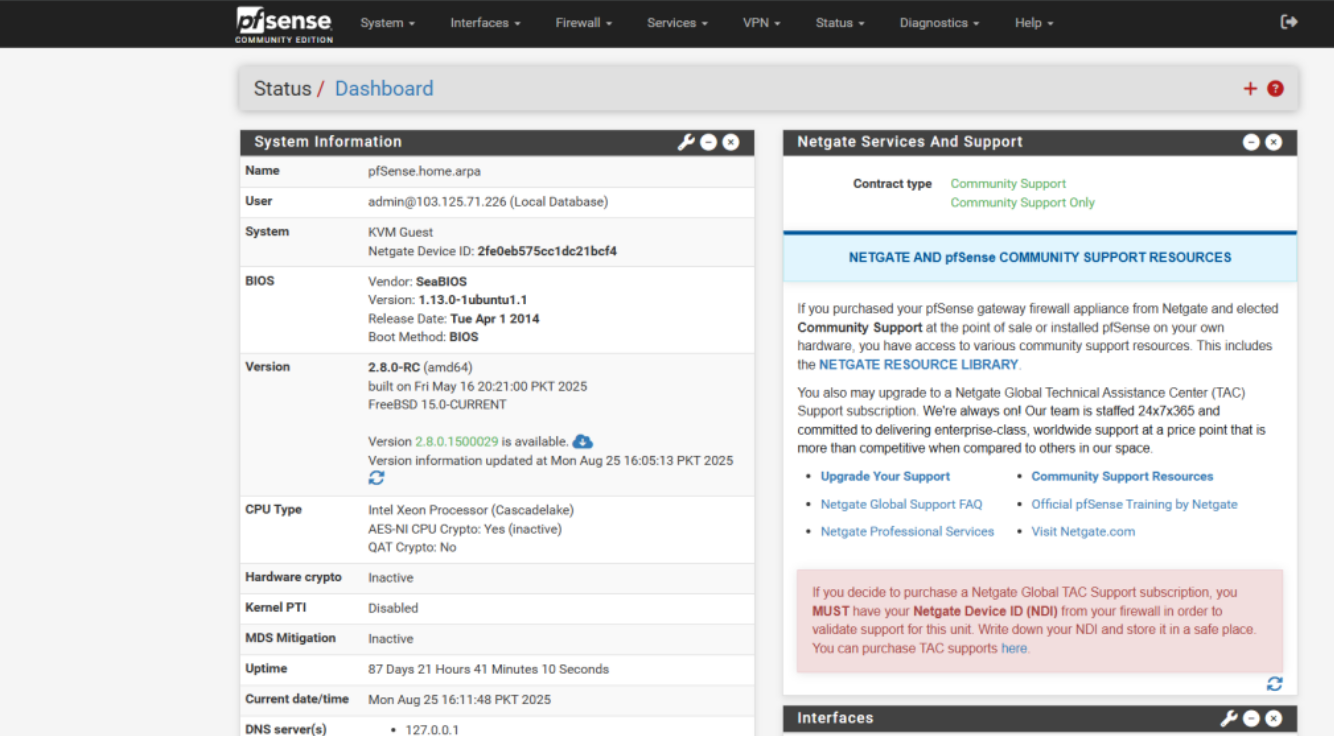
Open a browser and access pfSense using the public IP and port 1111: https://<Public-IP>:1111
Step 2: Restrict Global Access via Port 1111
-
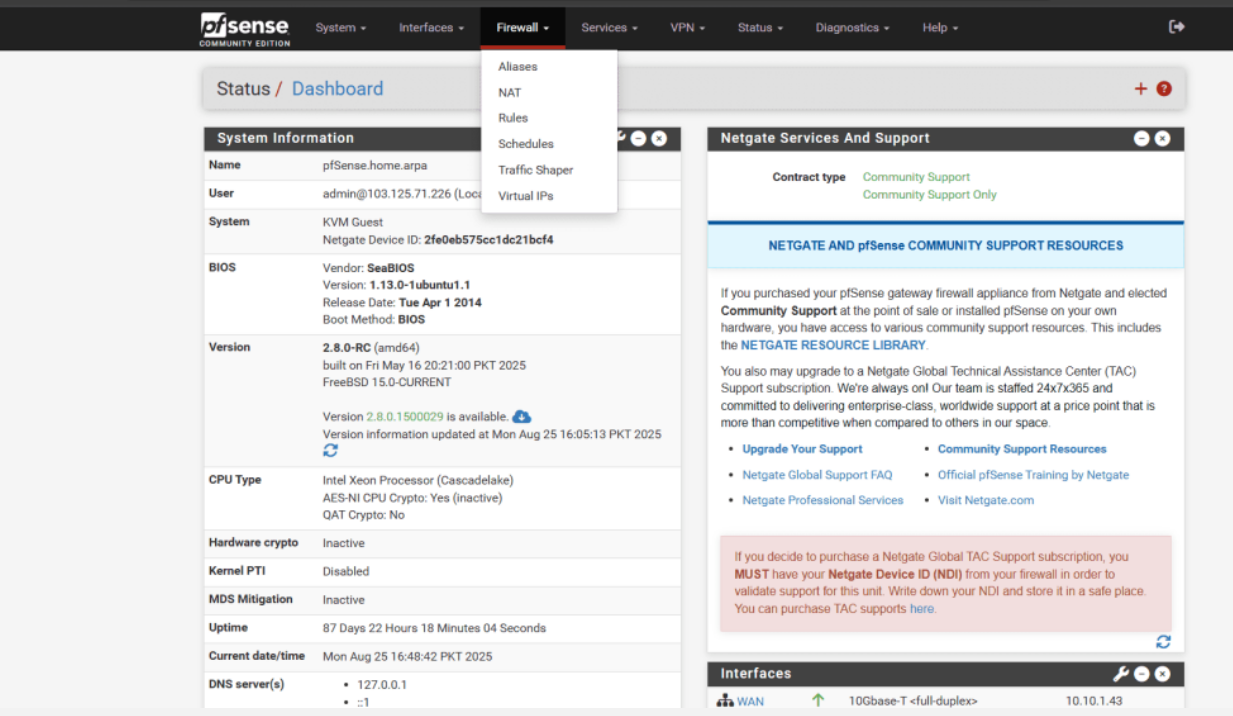
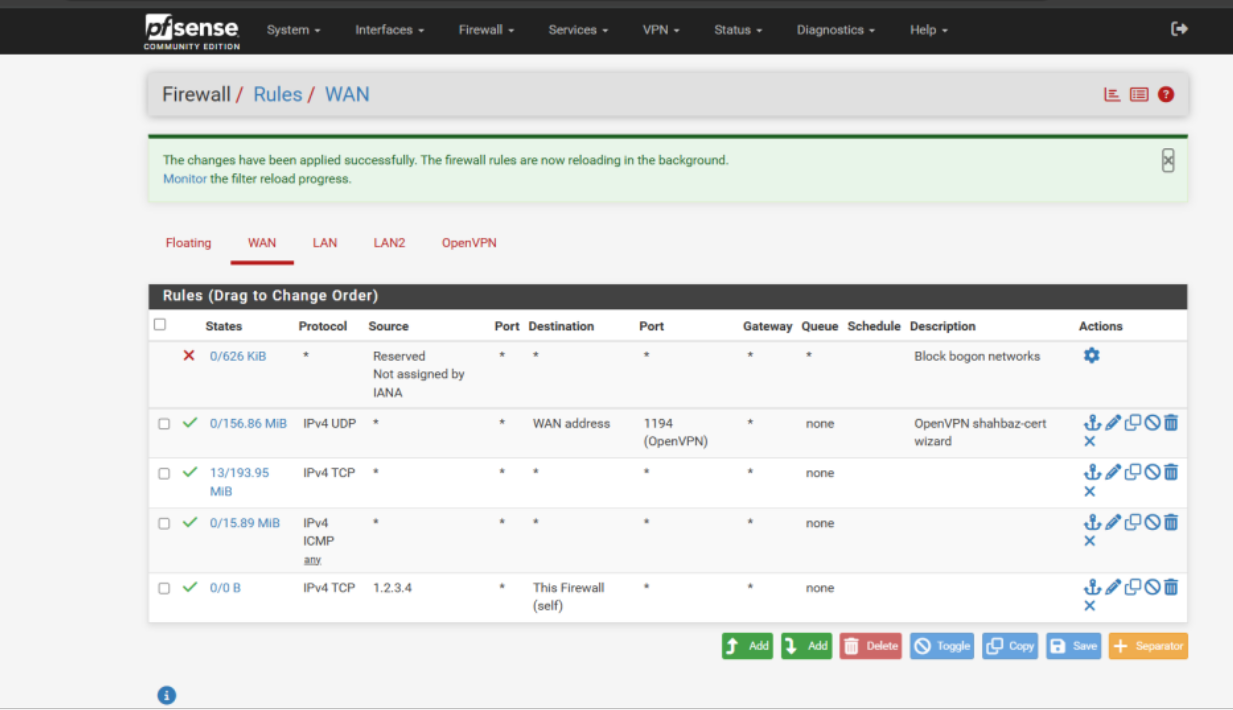
Navigate to Firewall → Rules → WAN.
-
Click Add Rule (up-arrow icon).
-
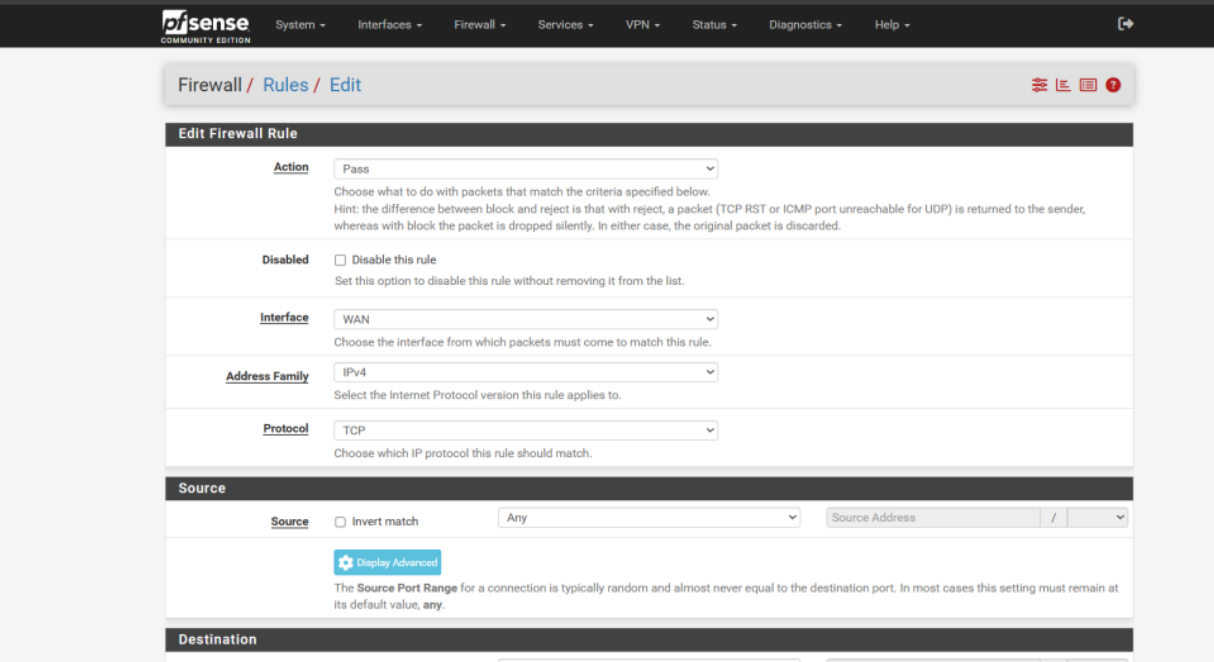
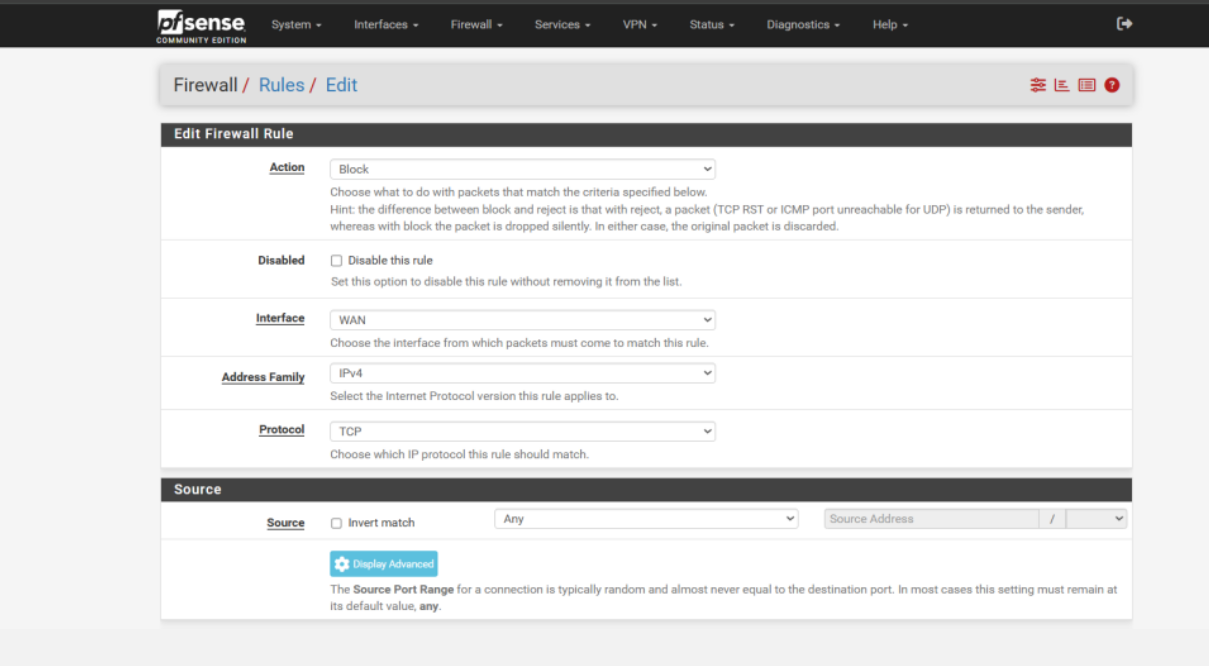
Action: Block
-
Disabled: Do not check this option
-
Interface: WAN
-
Address Family: IPv4
-
Protocol: TCP
-
Source: Any
-
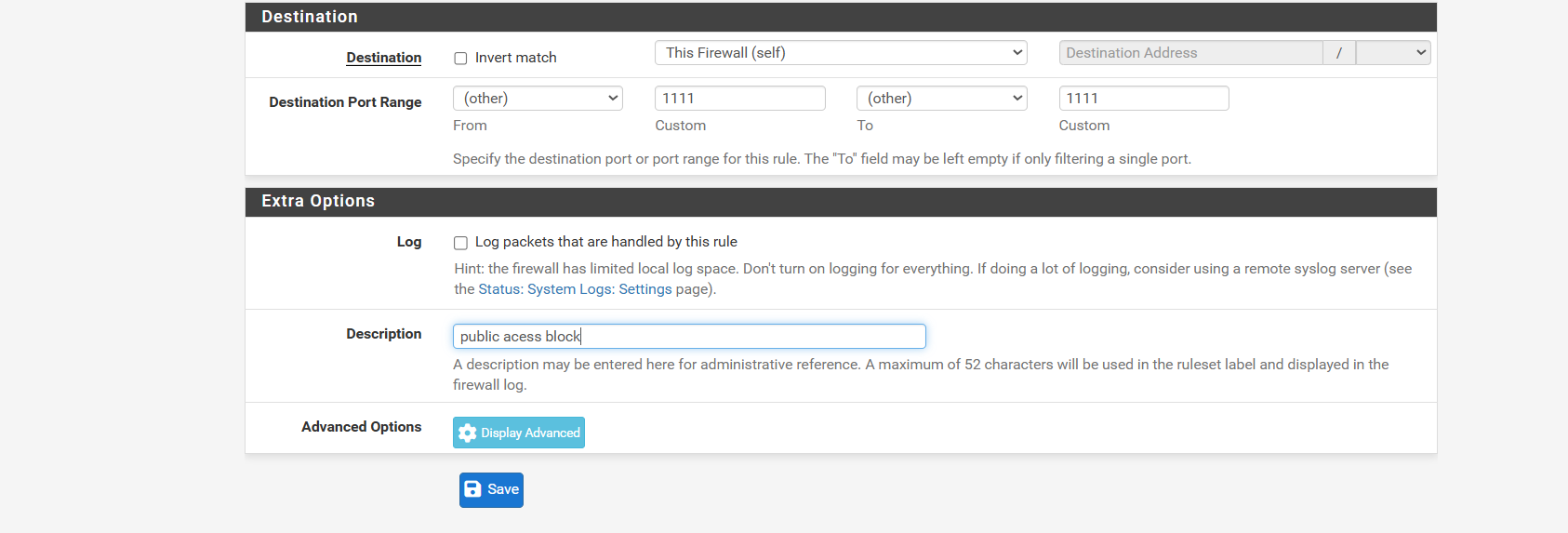
Destination: This Firewall.
-
Destination Port: 1111.
-
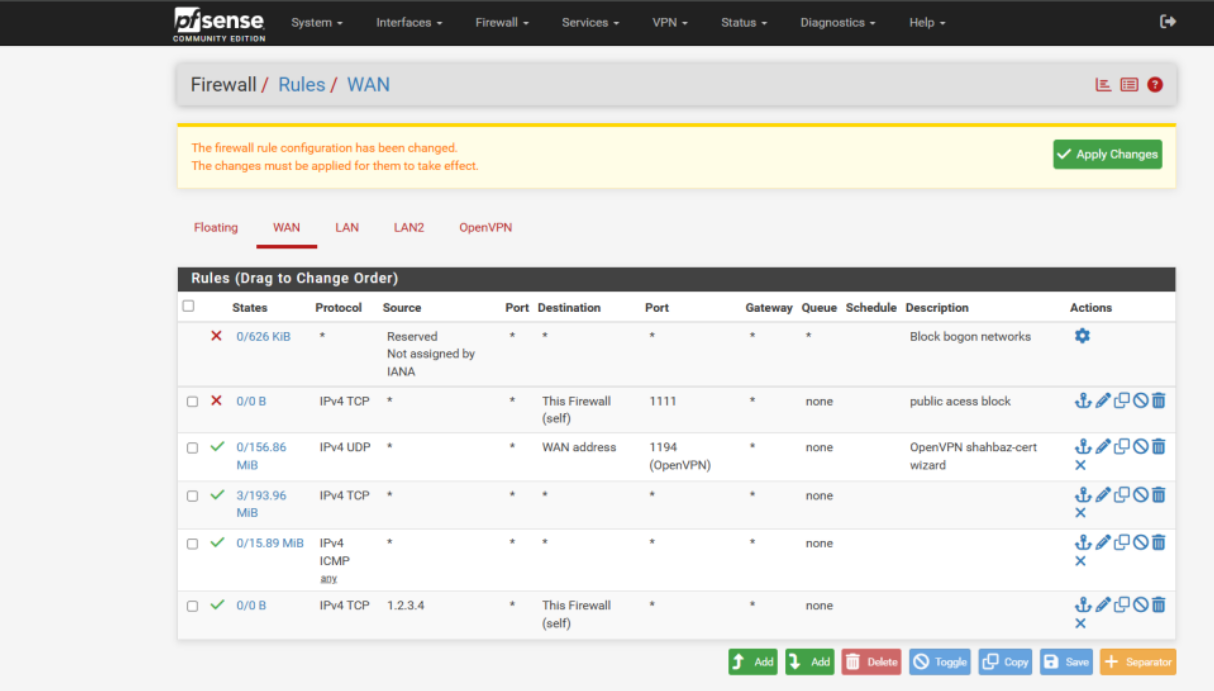
Click Save,
-
Go back to WAN Rules and click Apply Changes.
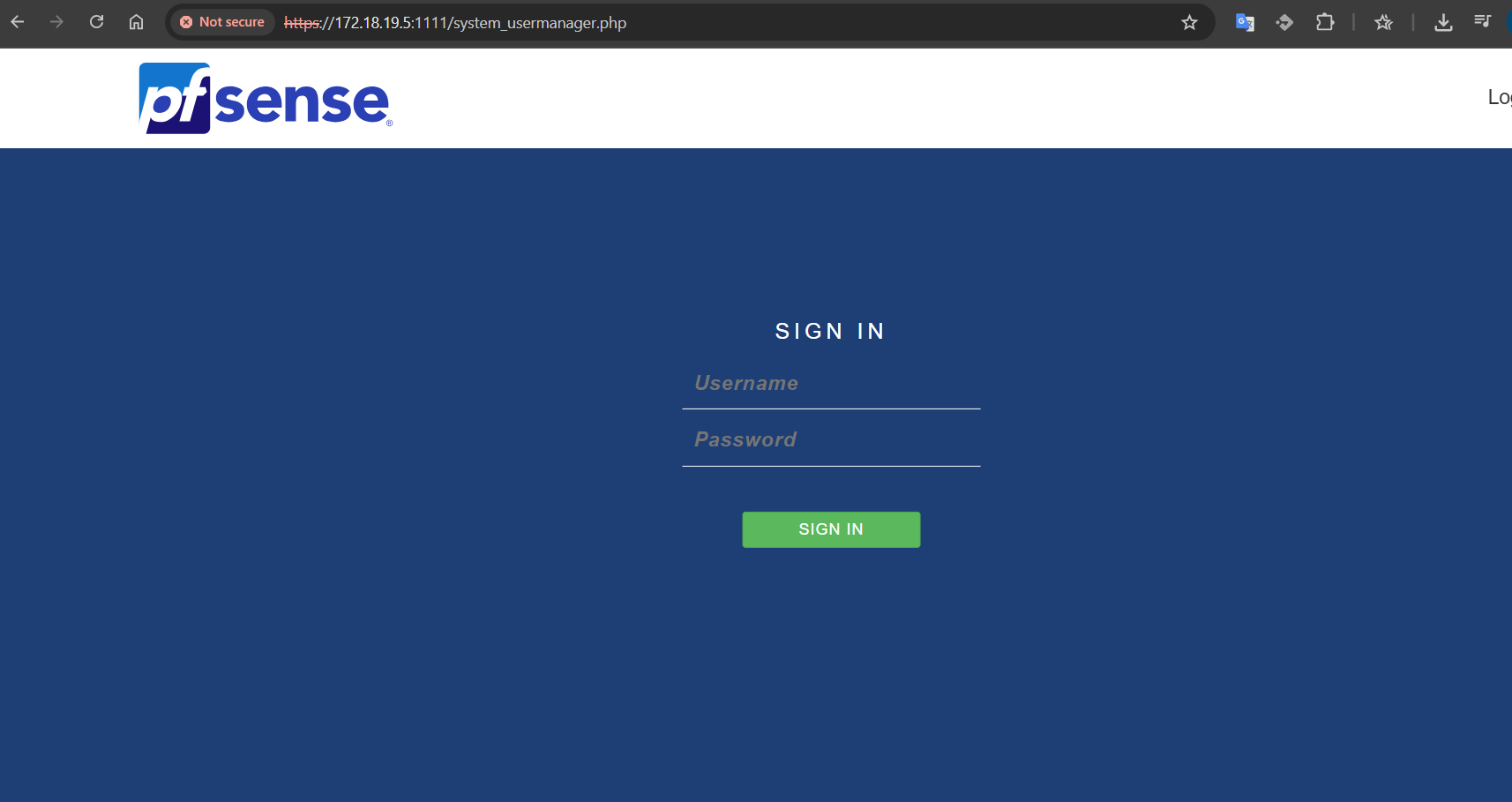
This ensures pfSense global access via port 1111 is blocked while keeping firewall rules properly applied.