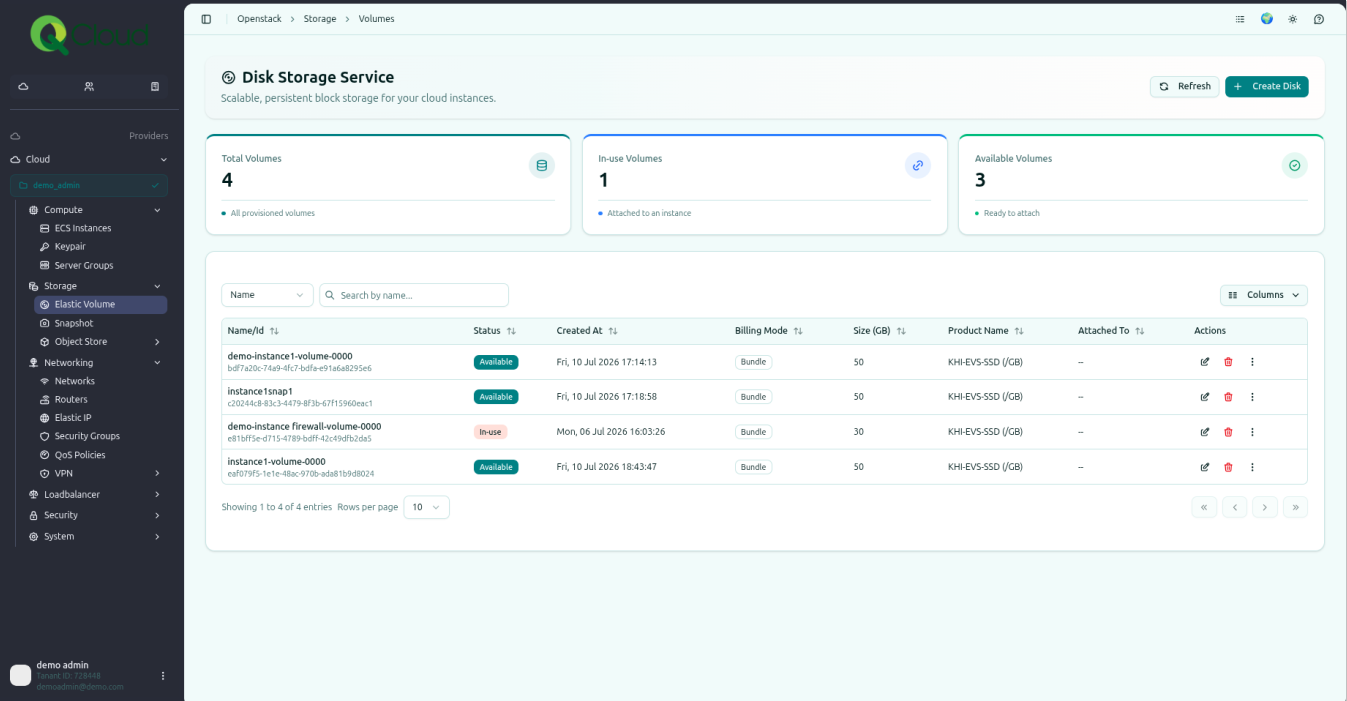
Deleting an Elastic Volume #
To delete an Elastic Volume from the QCloud Portal, follow these steps:
Step 1: Navigate to the Elastic Volume Section
In the left-hand navigation menu, click on Elastic Volume. All attached and non-attached volumes will be displayed on the dashboard.
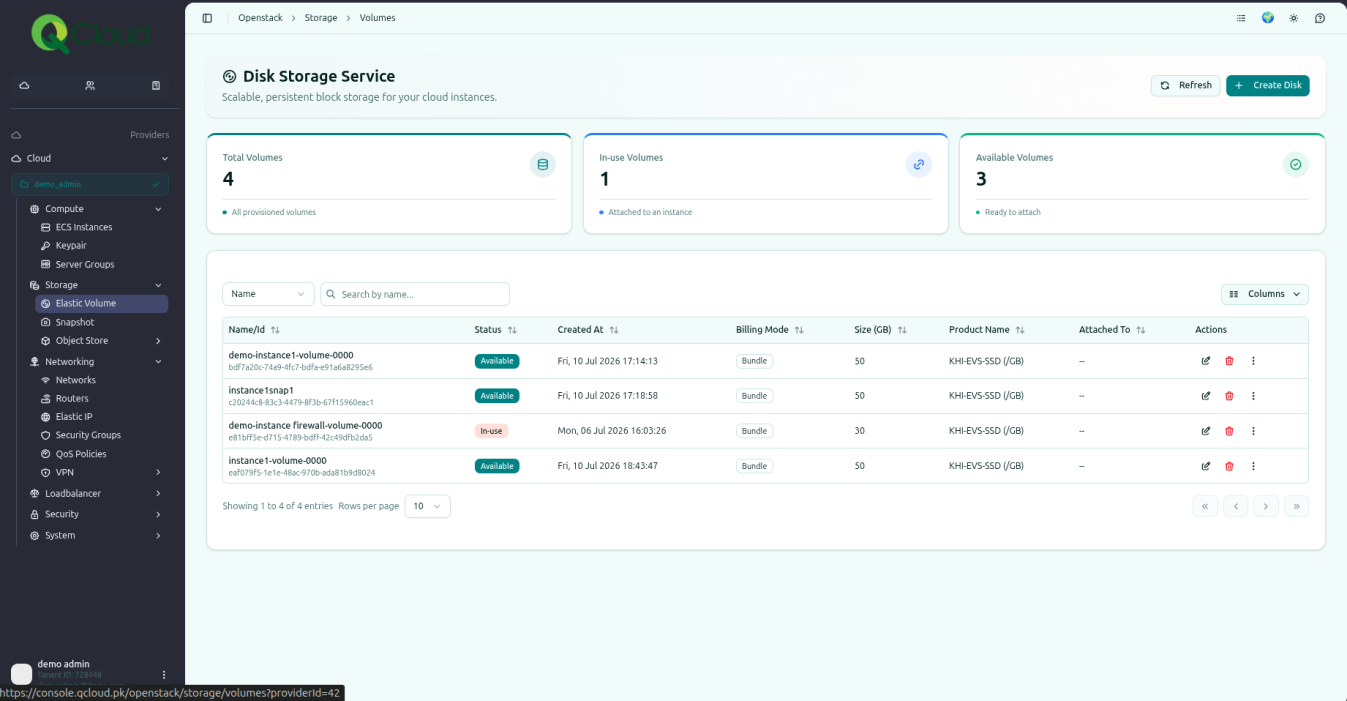
Step 2: Open the Actions Menu
Find the volume you want to delete. Click on the delete icon.
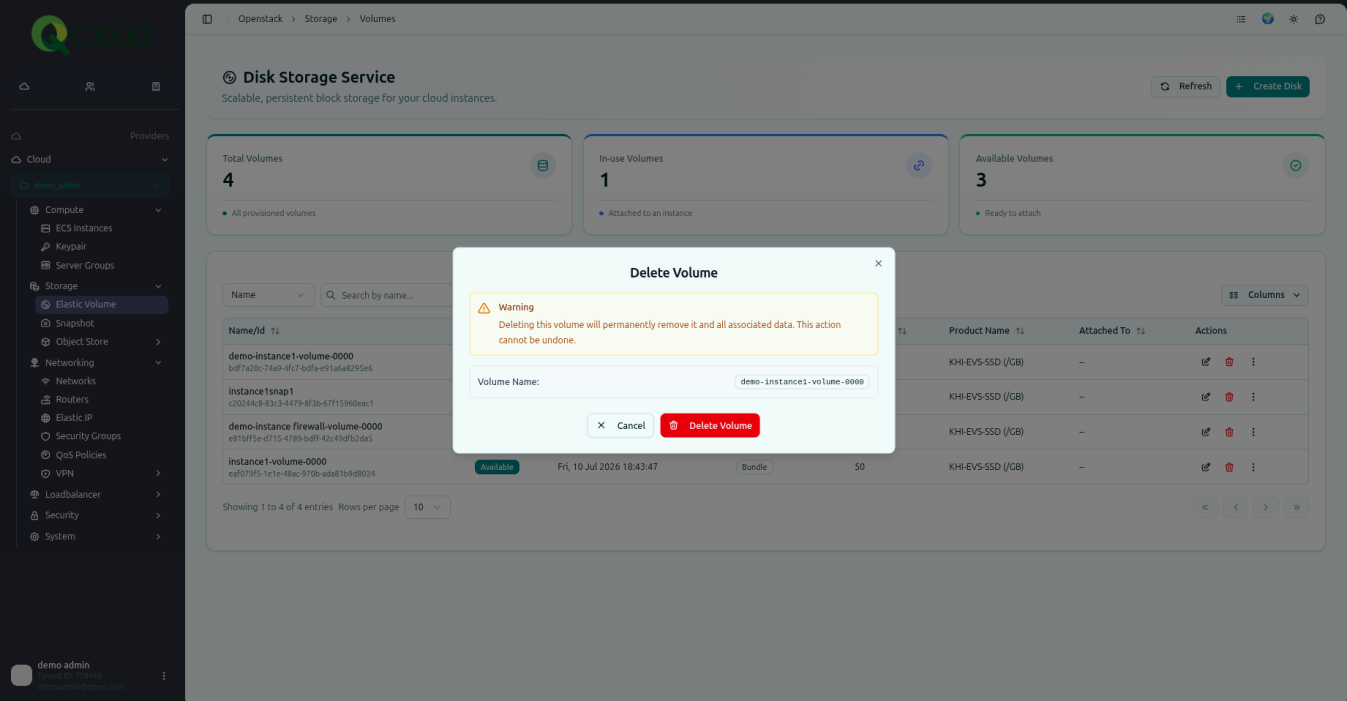
Step 3: Delete the Volume
Click on Delete from the dropdown menu. The selected volume will be permanently deleted.
⚠ This action is permanent and cannot be undone. Confirm the volume is not attached to a running instance you still need, and that any required data has been backed up or snapshotted first.