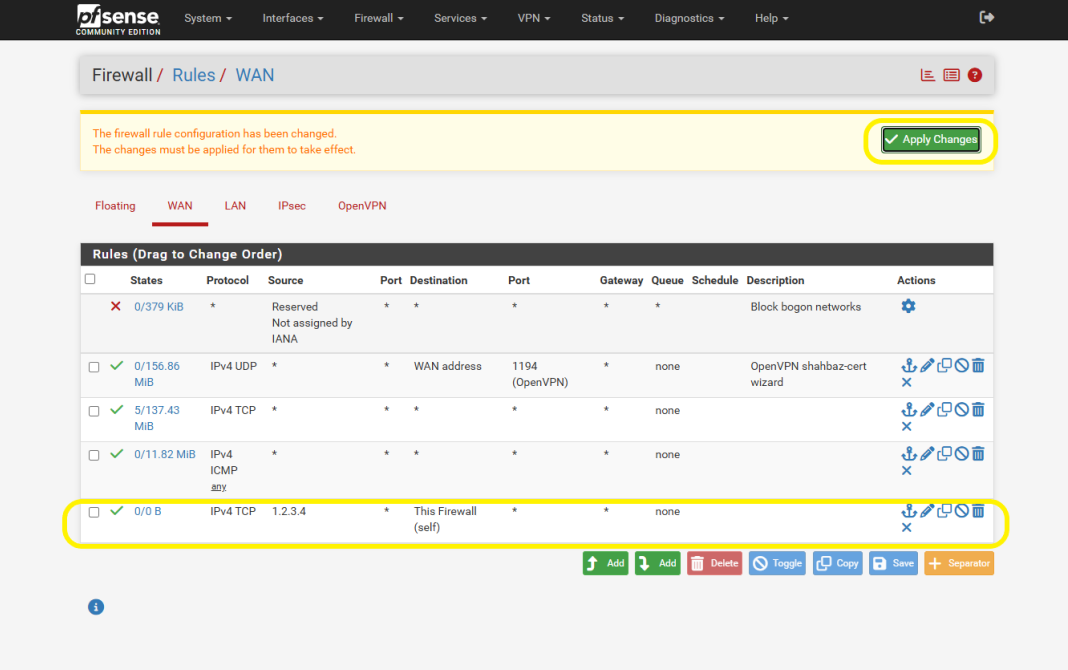
IP Whitelisting in pfSense #
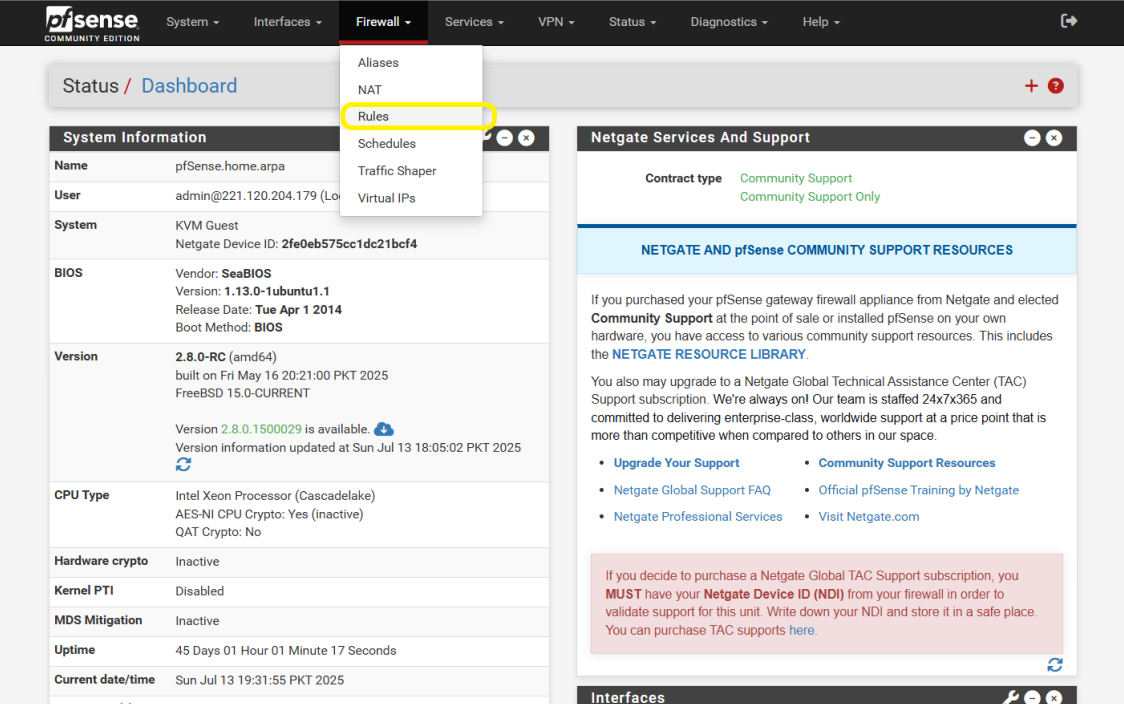
Step 1: Open Firewall Rules
Top menu → Firewall → Rules → WAN (default landing tab).
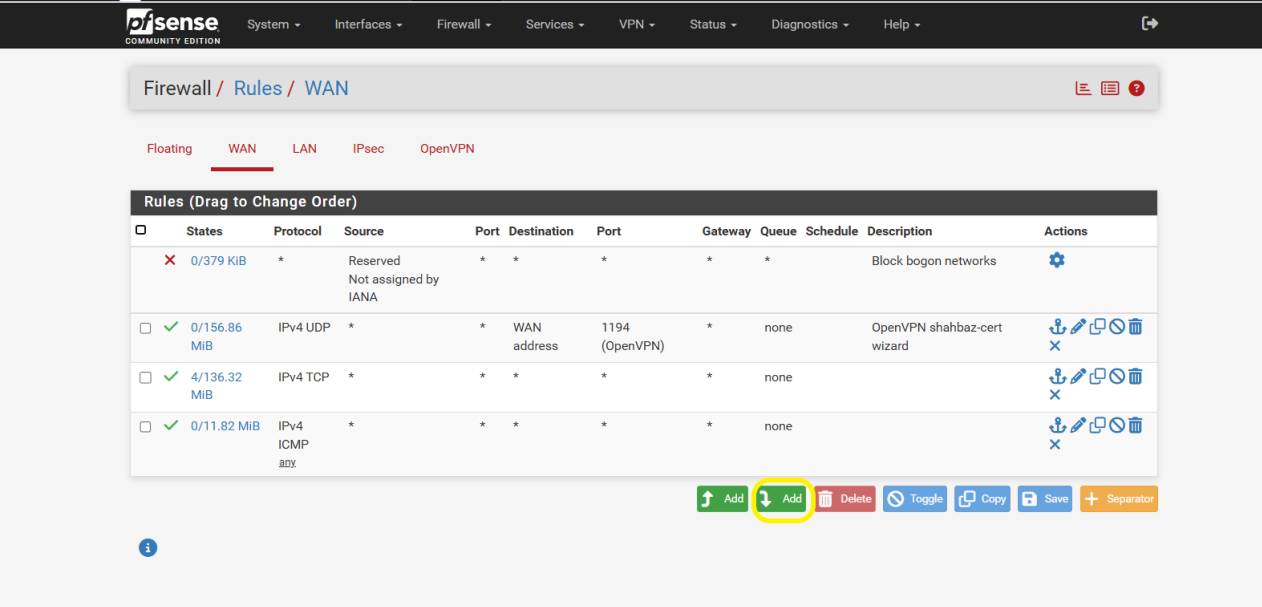
Step 2: Add a New Rule
Click the Add (+) button to define which IPs are allowed.
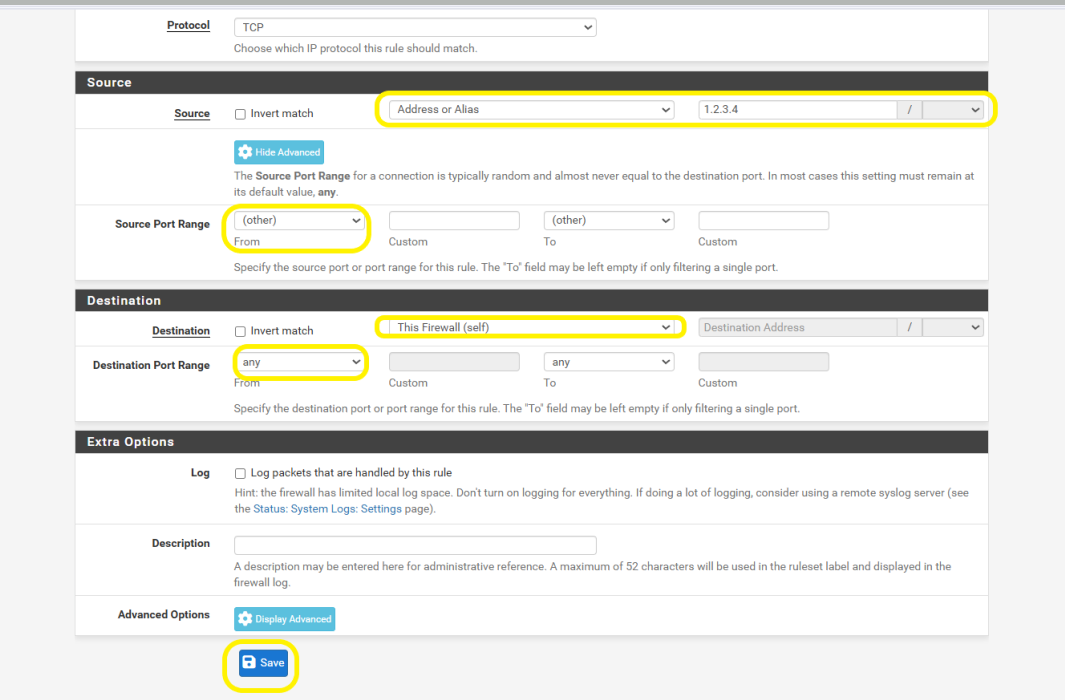
Step 3: Configure Source & Destination
- Source: the trusted external IP to whitelist.
- Destination: the internal IP/network to allow access to.
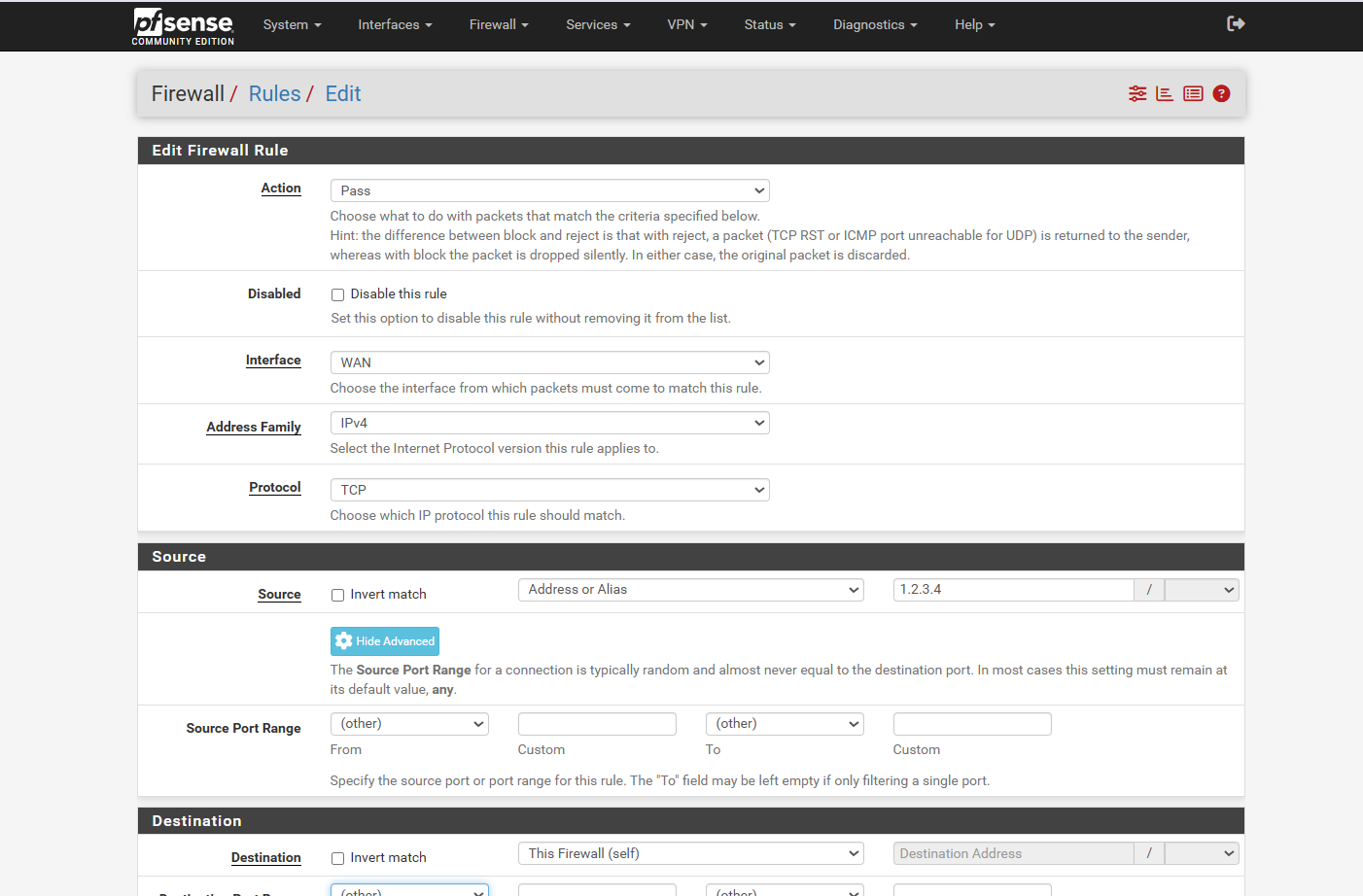
Step 4: Finalize Rule Details
- Source: enter the IP (and port, usually ‘any’).
- Destination: internal IP/network and port (e.g., port 80).
- Click Save.
Step 5: Apply the Rule
Click Apply Changes to activate. The specified IP is now whitelisted.