Delete Virtual Instances #
QCloud lets you delete virtual instances directly from the Virtual Instance Listing page permanently removing an instance no longer needed and freeing up its associated storage, networks, and compute capacity.
Step 1: Navigate to the Listing
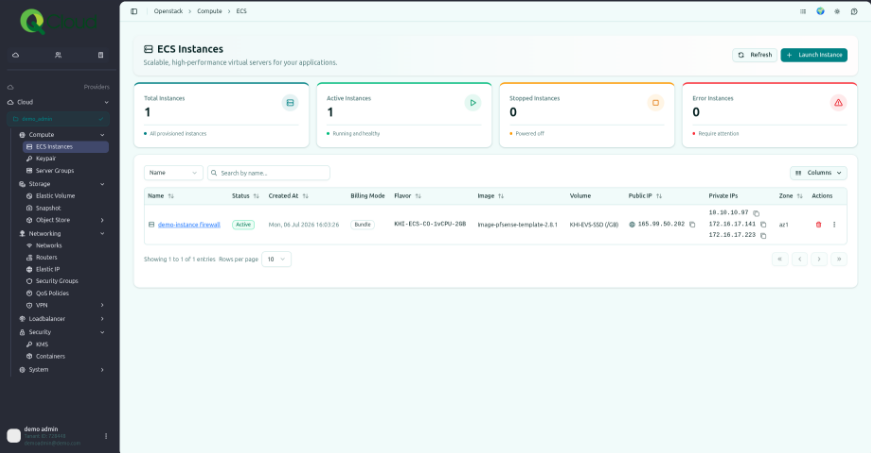
Login as Customer-Admin (or an account with required privileges) and go to Providers→ Compute → ECS Instance.
Step 2: Delete the Instance
- Find the instance you wish to delete in the list.
- Click the Delete button (trash icon) next to the instance.
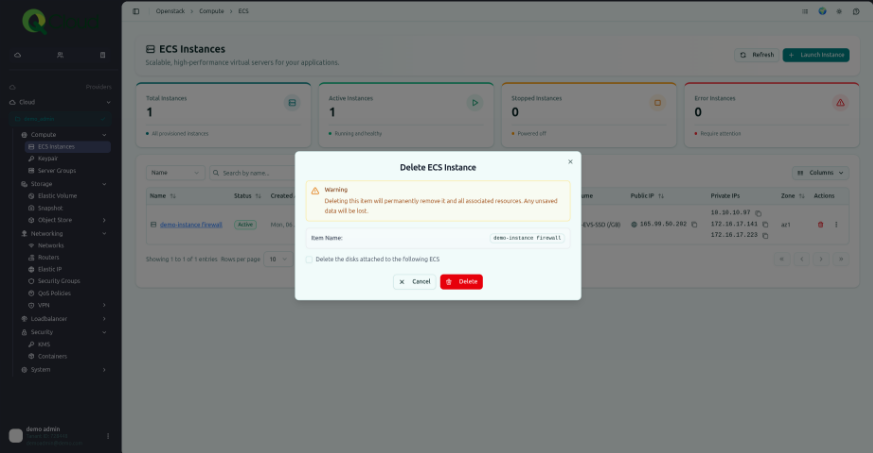
Step 3: Confirm
A confirmation prompt appears to prevent accidental deletion. Review the instance details and click Confirm to proceed.