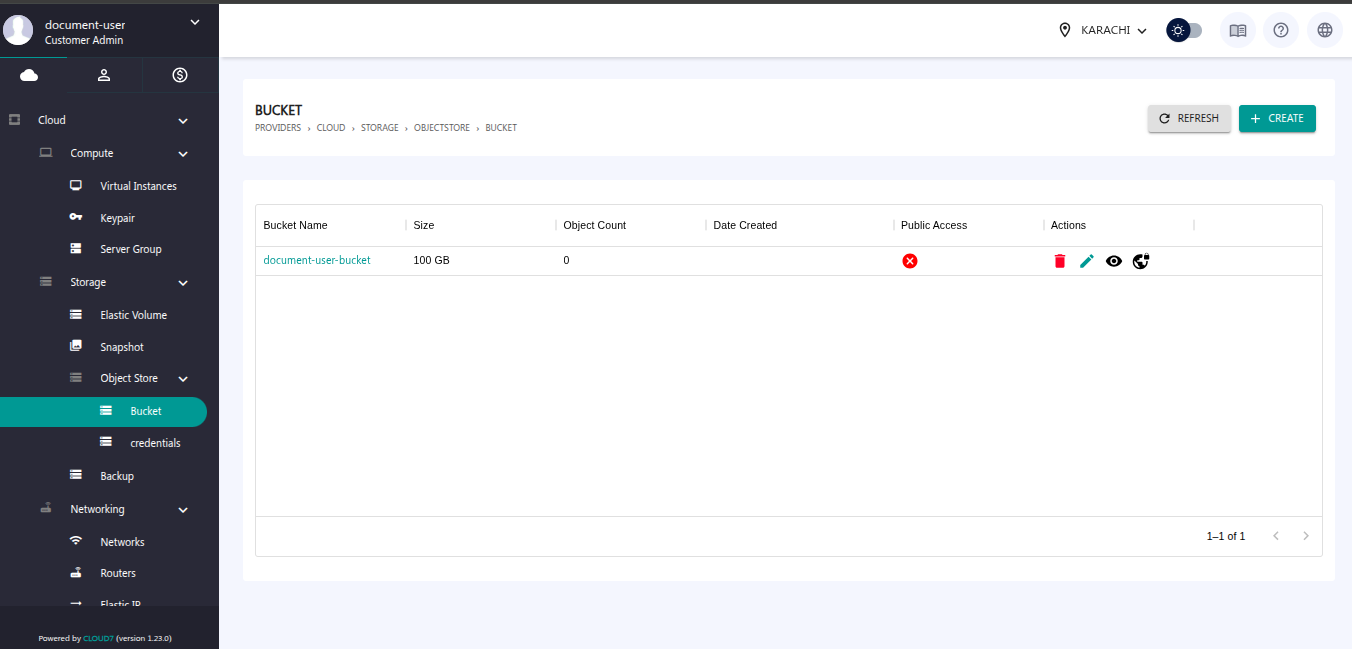
Creating an OSS Bucket: #
To create a new OSS (Object Storage Service) bucket in the QCloud Portal, follow these steps:
Step 1: Navigate to the Bucket Section
Go to Object Store > Bucket from the left-hand navigation panel. You will be directed to this dashboard.
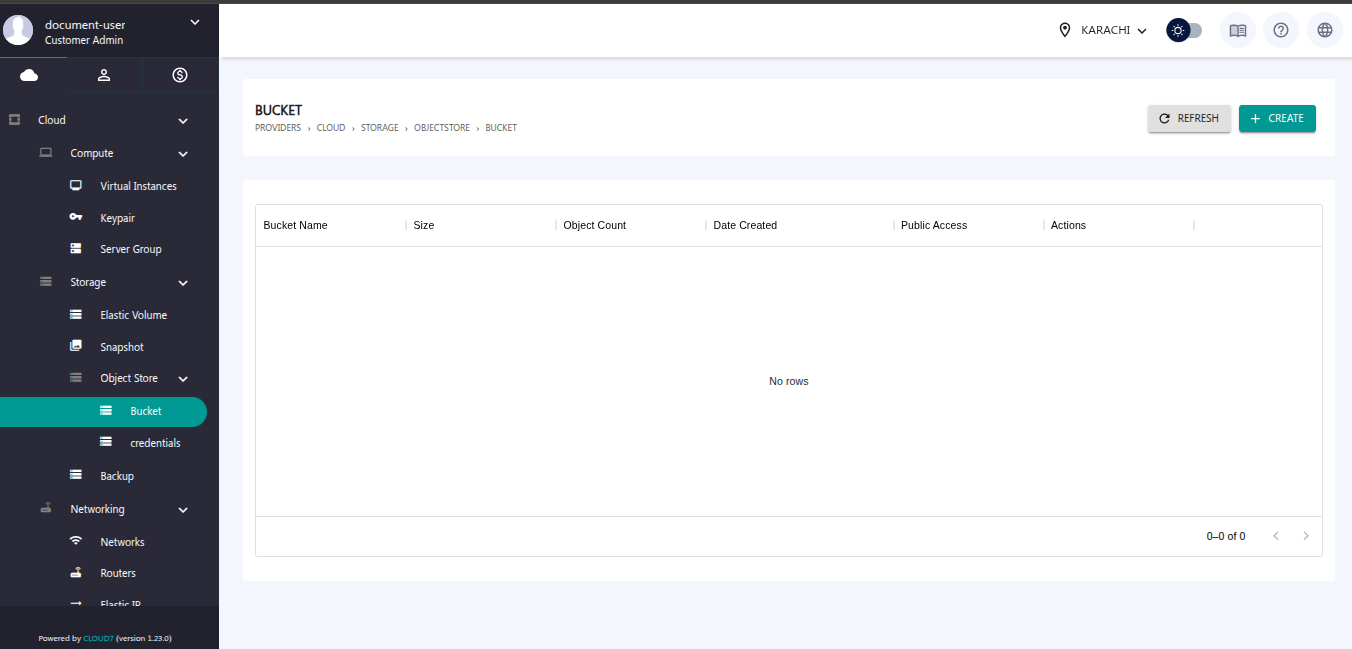
Step 2: Click on the Create Button
Click the Create button at the top right of the Bucket page. Then this new window will appear.
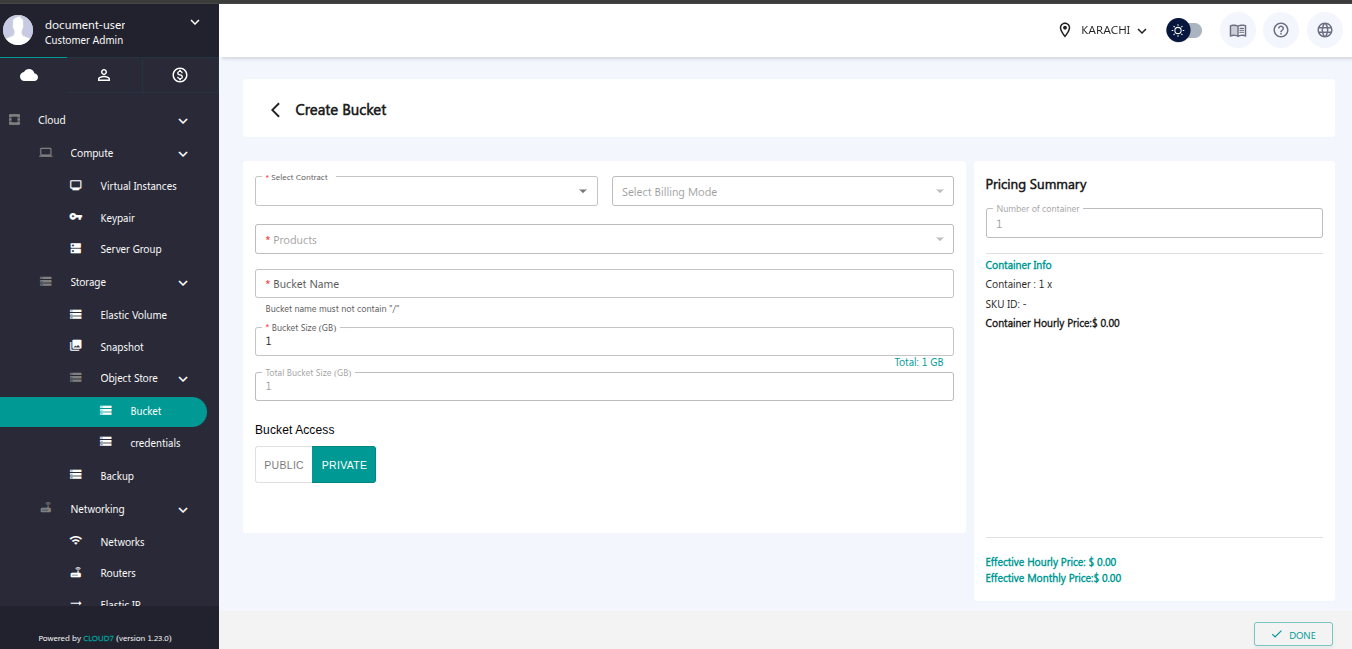
Step 3: Enter Bucket Details
In the bucket creation form, provide the requested information such as:
- Select Contract
- Select Billing Mode
- Product
- Bucket Name
- Bucket Size
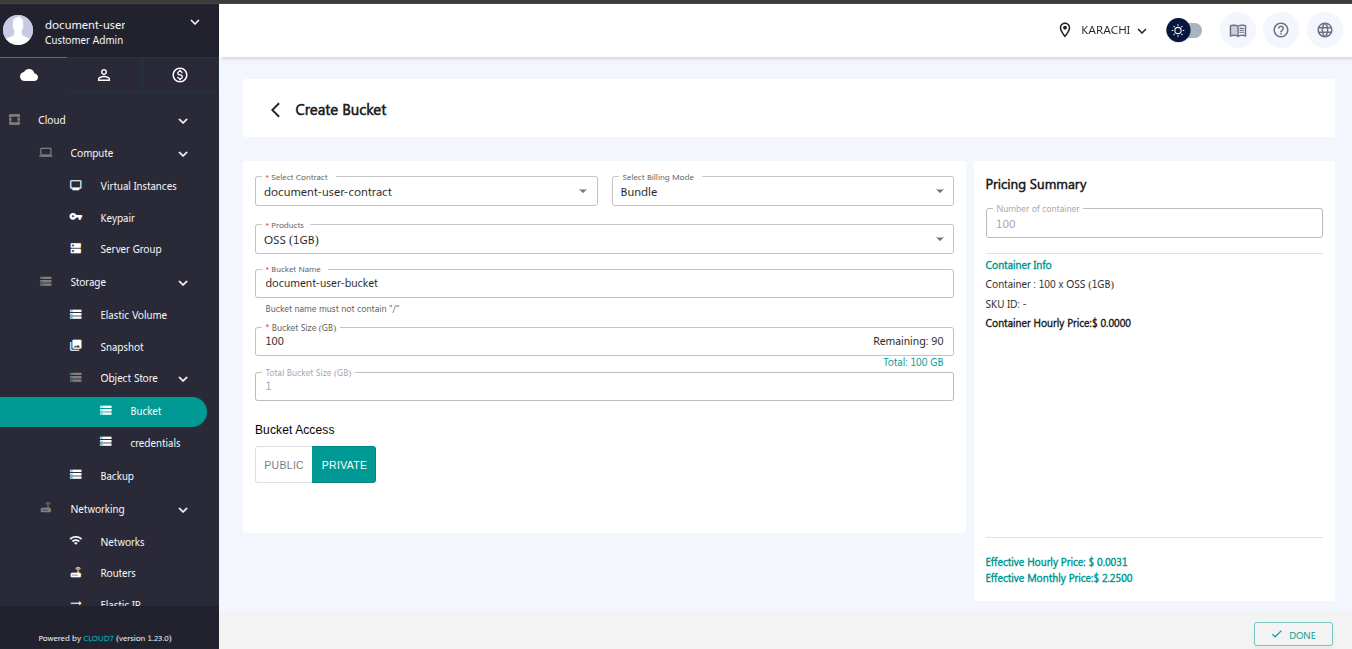
Step 4: Finalize the Creation
Once all required details are filled in, click on Done.
Your OSS bucket will be created successfully.