Updating pfSense Firmware #
To check for and install pfSense updates, follow these steps:
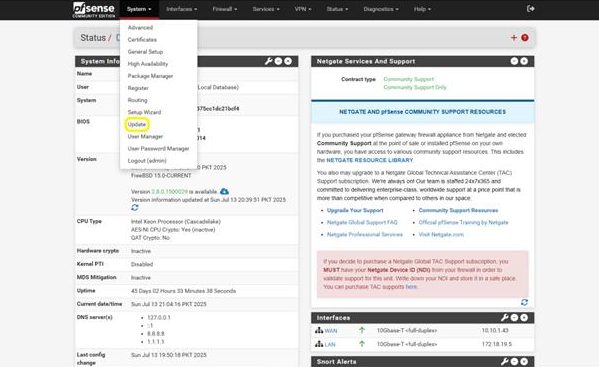
Step 1: Open the Update Page
- From the pfSense home screen, go to the top menu and click:
System > Update
This will open the Update page, where you can view current version details and check for available updates.
Step 2: Select the Update Version and Confirm
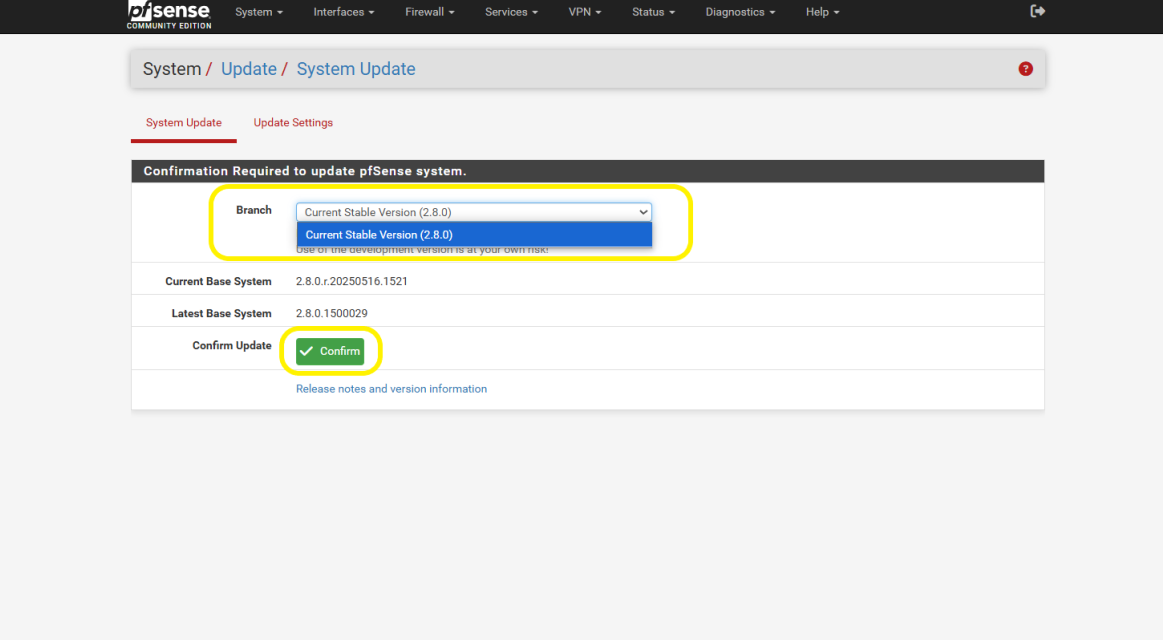
- A new screen will appear:
System / Update
Under the Branch section, you’ll see the available pfSense versions.
- From the dropdown, select the latest stable version you want to upgrade to.
- After selecting the version, click the Confirm button to begin the update process.
- pfSense will now download and install the selected version.
⚠️ This process may take a few minutes and will temporarily disrupt network services during the reboot.