Deleting a Virtual Machine (VM) #
To delete a Virtual Machine (VM) from the QCloud Portal, follow these steps:
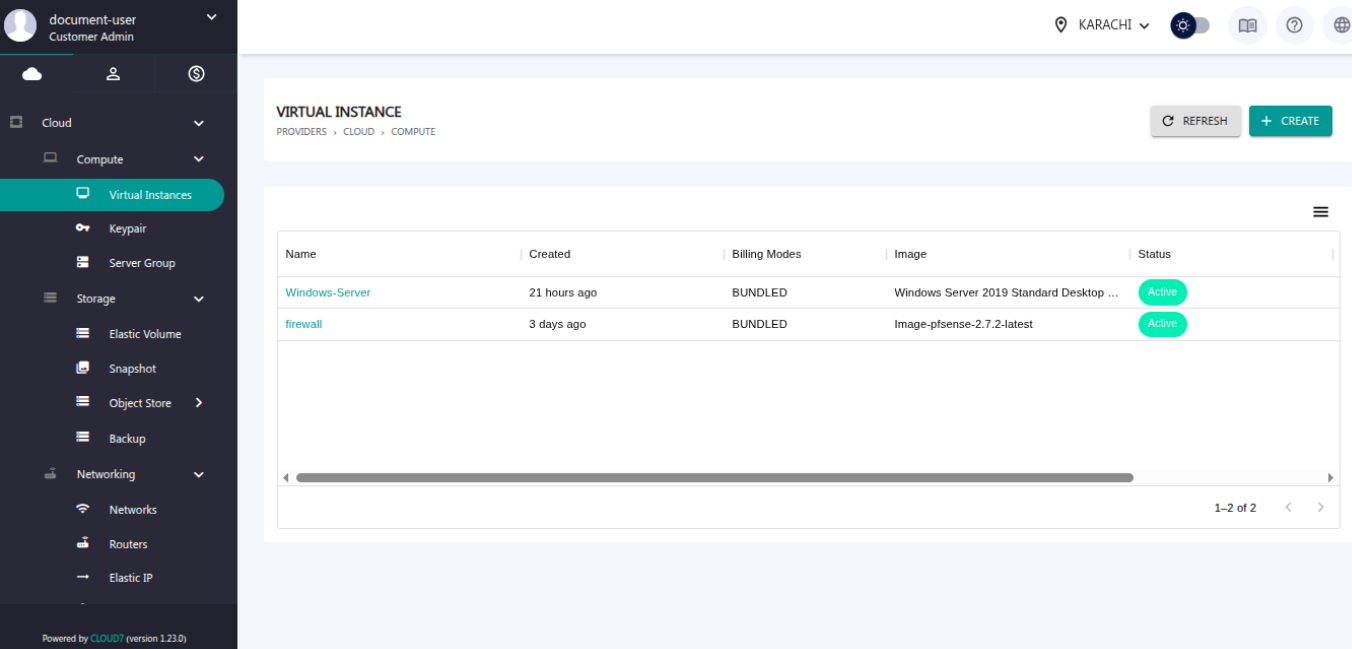
Step 1: Navigate to the Virtual Instances Page
Go to the Virtual Instance section from the left-hand menu. All the VMs will be displayed on the dashboard.
Step 2: Open the Actions Menu
Locate the VM you want to delete. Click on the three-dot menu (⋮) next to the desired VM. The new widget will be displayed showing all the possible actions that can be done with the VM.
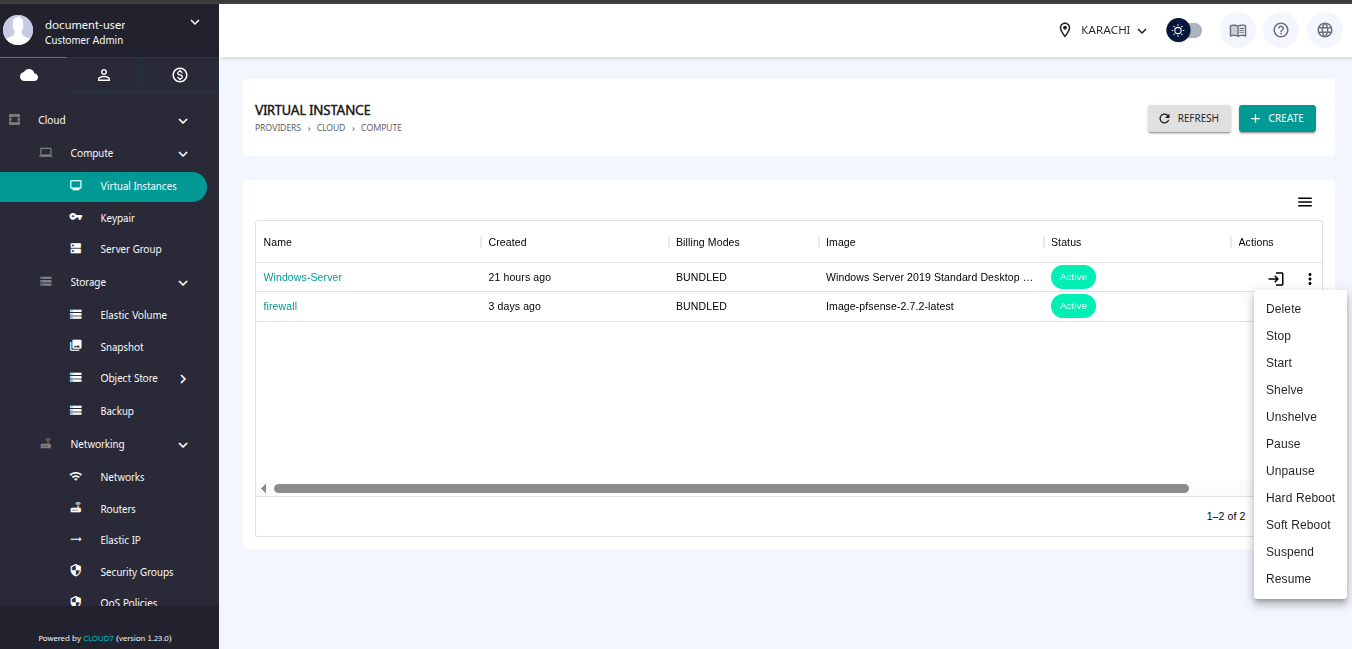
Step 3: Delete the VM
From the dropdown menu, click Delete. The selected VM will be deleted.
