Deleting a VPN User in pfSense #
Step 1: Open the User Manager
To remove a VPN user from pfSense, follow these steps:
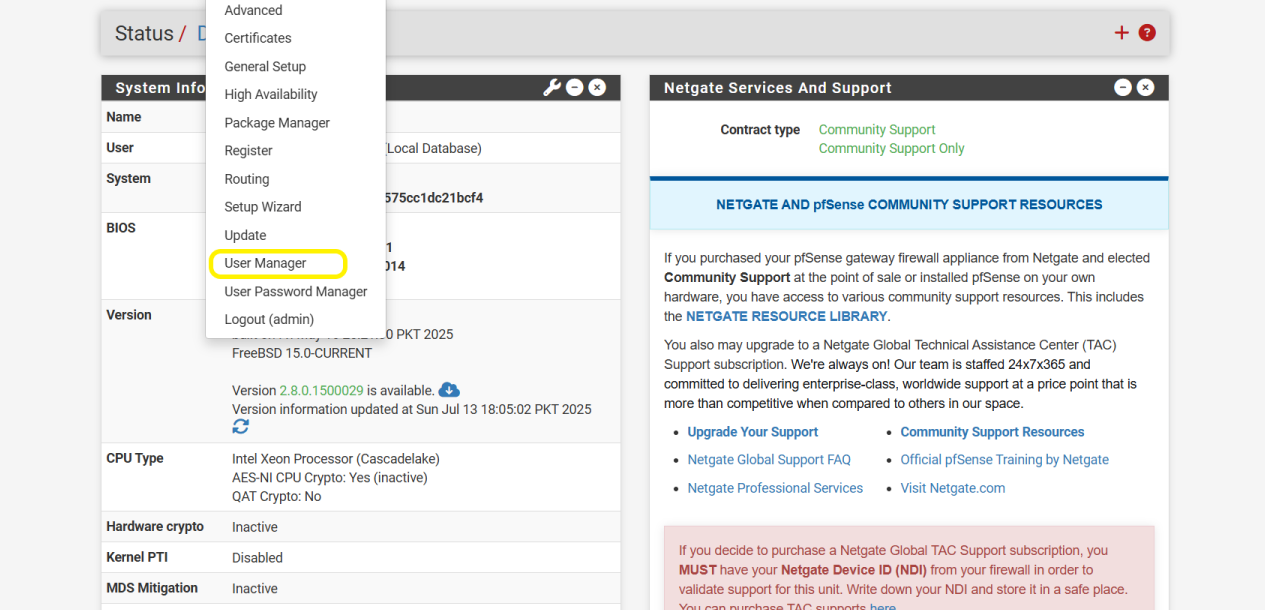
- From the pfSense Home Screen, go to the top menu and click:
System > User Manager
This will open the list of all existing users in your firewall system.
Step 2: Delete the VPN User
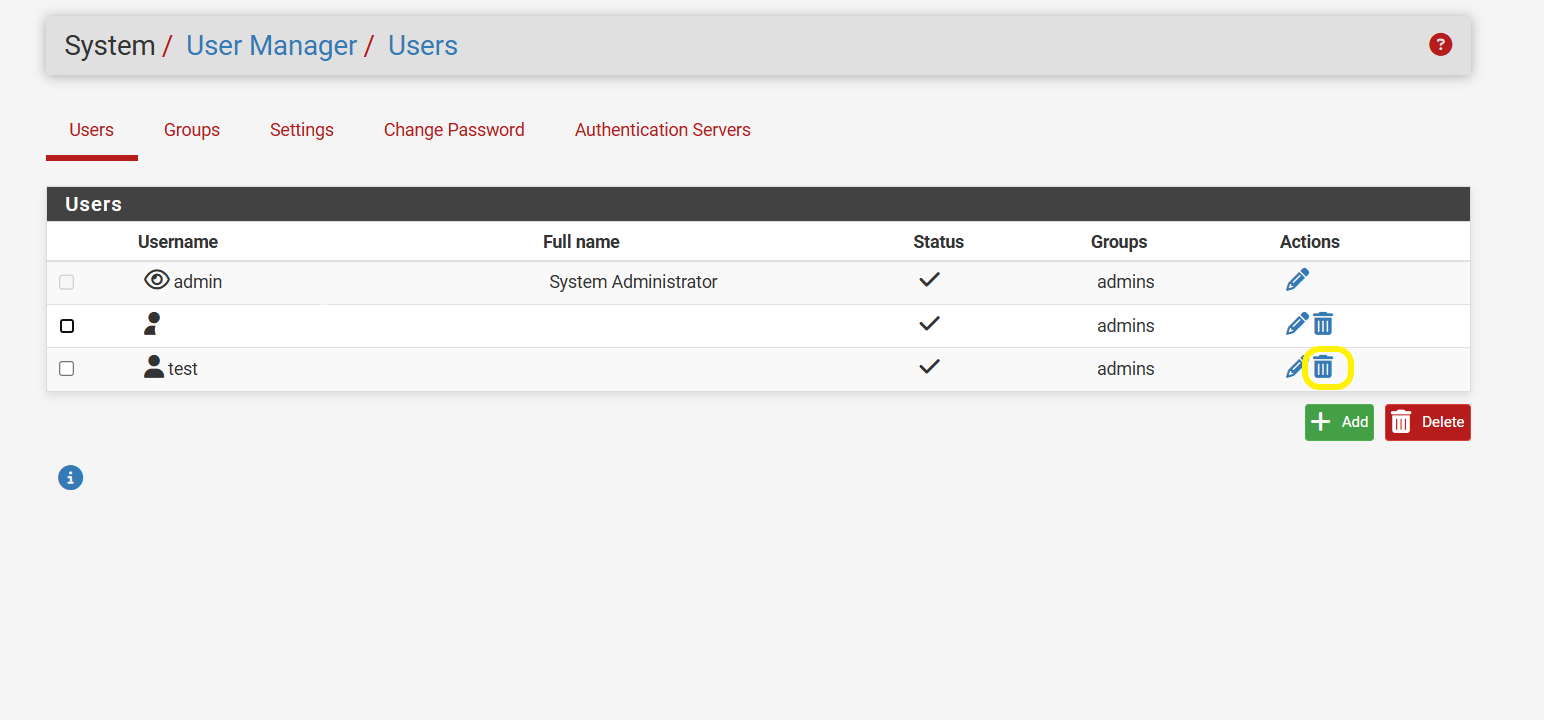
- On the User Manager page, you will see a list of all existing users.
- Find the user you want to delete.
- Click the trash icon (🗑️) next to that user.
This will delete the VPN user, and their access to the VPN will be revoked immediately.